

How to update Android radio software in Maybach Mercedes Benz?
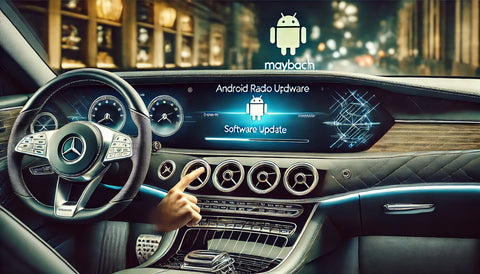
The Android software in your Mercedes-Benz Maybach radio is a key element in ensuring modern functionality, convenience, and reliability. Software updates are essential to improve performance, introduce new features, and fix bugs. In this guide, we'll walk you through how to update your car's Android radio software step by step.
Why is it worth updating your Android radio software?
Main benefits:
- Improving system performance: Updates optimize system performance, increasing speed and stability.
- New features: Updates may introduce new features, improving the user experience.
- Error correction: Updates fix known issues and improve compatibility with other devices.
- Security: New versions may include security patches to protect your system from threats.
Preparations before the update
Before you start updating, please prepare accordingly to avoid problems during installation.
1. Check compatibility
- Please make sure that the available software is compatible with your Maybach model and Android radio system.
- Please review your vehicle's owner's manual or contact the manufacturer.
2. Back up your data
- Save all settings and data stored on your system to avoid losing them during the update.
3. Ensure stable power supply
- Connect your car to an external power source or make sure the battery is fully charged.
Methods to update Android radio software
Depending on your preferences and available tools, there are several ways to update your system.
AND. Manual update via USB or SD card
1. Downloading the update
- Visit the official website of Mercedes-Benz or the manufacturer of the Android radio.
- Search for your model and download the latest software version.
2. Transferring files
- Copy the update file to a USB flash drive or SD card.
3. Installing the update
- Insert your device into the appropriate port on your car's infotainment system.
- Follow the on-screen instructions to complete the installation.
B. OTA (Over-the-Air) Update
1. Checking for updates
- Go to the settings menu in Android radio.
- Select "System Update" and check if new versions are available.
2. Download and installation
- If an update is available, follow the instructions to download and install it.
- Make sure you have a stable Wi-Fi connection.
C. Update on the website
1. Visit an authorized Mercedes-Benz service center
- Get help from professional technicians who will install the update and optimize your system.
2. Additional benefits
- The service can perform additional tests and check the entire infotainment system.
Solving the most common problems
Problem 1: Update won't start
- Check if the update file is correct and compatible with your system.
- Make sure your USB drive or SD card is properly formatted.
Problem 2: System freezes
- Restart your car and try the installation again.
Problem 3: Connectivity issues
- When updating OTA, make sure you have a stable Wi-Fi connection.
Best practices when updating
- Use only original software: Only download files from official sources to avoid compatibility issues.
- Check for updates regularly: This will ensure ongoing system optimization.
- Do not interrupt the process: Avoid turning off the car or disconnecting the power during installation.
Frequently Asked Questions (FAQ)
How long does it take to update the Android radio software?
The update time depends on the method and file size, but typically takes 15 to 30 minutes.
Can I update the software myself?
Yes, if you follow the instructions carefully. If in doubt, it's best to seek professional help.
Is there a fee for the update?
Downloading software from the manufacturer's official website is usually free, but services on the website may involve a fee.
Summary
Updating the Android radio software in your Mercedes-Benz Maybach is a process that brings many benefits, including improved performance, new features, and improved security. Choose one of the methods—manual update, OTA, or service visit—and enjoy an optimized infotainment system in your car.
Regular updates will ensure you have the best user experience and stay safe on the road.