

How to connect your phone to Fiat Doblo?
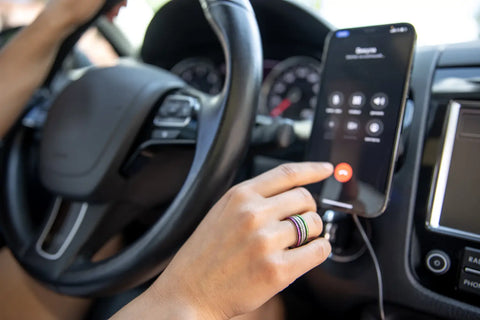
The Fiat Doblo is a reliable car that, in addition to driving comfort, also offers the ability to connect your phone to the Bluetooth system. This allows you to use features like hands-free calling and music playback without wires. This article will show you step-by-step instructions for connecting your phone to the Fiat Doblo, as well as how to troubleshoot common connection issues. Buy the highest quality Radio Navigation for your Fiat Doblo (2015-2019) at the lowest price. Visit now Carplay Android Auto - Multigenus
1. Why is it worth connecting your phone to your Fiat Doblo?
Connecting your phone to the Fiat Doblo system offers a number of benefits:
- Driving safety – You can answer calls without having to hold the phone in your hand.
- Convenience – Listen to your favorite music or use the GPS application in your car system.
- Modernity – The Bluetooth system allows for easy integration with modern devices.
2. Preparing to connect your phone to your Fiat Doblo
Check compatibility
Before you begin, make sure your phone supports Bluetooth. Most modern smartphones (Android and iPhone) are compatible with the Fiat Doblo system. Buy the highest quality Radio Navigation for your Fiat Doblo (2015-2019) at the lowest price. Visit now Carplay Android Auto - Multigenus
Turn on Bluetooth on your phone
- Go to your phone settings.
- Select an option Bluetooth.
- Make sure the feature is enabled and your phone is visible to other devices.
3. How to connect your phone to Fiat Doblo?
Step 1: Turn on your car's Bluetooth system
- Turn on the car's ignition to activate the multimedia system.
- On the system screen, select the option Settings or Bluetooth (names may vary depending on software version).
- Turn on the Bluetooth function in your car system.
Step 2: Search for the device on your phone
- On your phone, go to Bluetooth settings.
- Search for available devices and select Fiat Doblo from the list.
Step 3: Confirm pairing
- A verification code will appear on your phone's screen. Make sure it matches the code displayed on your Fiat Doblo system.
- Confirm pairing on both devices.
Step 4: Complete setup
Once successfully connected, your phone and car system will remember your settings, meaning the process will be automatic on subsequent connections. Buy the highest quality Radio Navigation for your Fiat Doblo (2015-2019) at the lowest price. Visit now Carplay Android Auto - Multigenus
4. Troubleshooting connection issues
Problem: Fiat Doblo Bluetooth not working
- Check if Bluetooth is turned on both on the phone and in the car system.
- Restart devices – turn Bluetooth off and on again on both devices.
- Delete old connections – if the list of paired devices is full, delete old entries.
Problem: Phone does not detect Fiat Doblo
- Make sure your phone and car system are visible.
- Check the distance – the devices should be close to each other when pairing.
Problem: The connection is unstable
- Check the software version on both your Fiat Doblo and your phone. Update them if necessary.
- Avoid interference – make sure there are no other Bluetooth devices nearby that may cause interference.
5. How to use the phone once connected to the Fiat Doblo?
Telephone calls
Once connected, you can make and receive calls hands-free. Use the buttons on the steering wheel or the system screen.
Playing music
Stream your favorite music from your phone to your car speakers. Select an option. Media or Bluetooth Audio in the system.
GPS navigation
Use the GPS app on your phone and the navigation audio will be heard through your car speakers.
6. Frequently Asked Questions (FAQ)
Can I connect more than one phone to Fiat Doblo?
Yes, the system allows you to pair multiple devices, but only one can be active at a time.
Do I need to re-pair my phone every time I ride?
No, the system will remember previously paired devices. Your phone will connect automatically if Bluetooth is enabled.
Can I use Apple CarPlay or Android Auto?
This depends on the multimedia system version in your Fiat Doblò. Check your vehicle's owner's manual.
Summary
Connecting your phone to your Fiat Doblo is a simple process that significantly increases driving comfort and safety. With our tips, you can easily set up a Bluetooth connection and enjoy all the features your car has to offer. If you encounter any difficulties, use the troubleshooting section to quickly find a solution. Buy a top-quality Radio Navigation for your Fiat Doblo (2015-2019) at the lowest price. Visit us now. Carplay Android Auto - Multigenus
Thanks to the Fiat Doblo Bluetooth system, traveling will become not only more comfortable, but also modern!